Encrypted vMotion "Out of memory" on VVF 9.1: It Was Intel QAT, Not the RAM
Encrypted vMotions to and from one VVF 9.1 host failed with Out of memory despite 63 GB of free DRAM. The cause was the Intel QAT offload enabled by default in 9.1, a known defect per support, worked around per host until the fix announced for ESX 9.1.3.
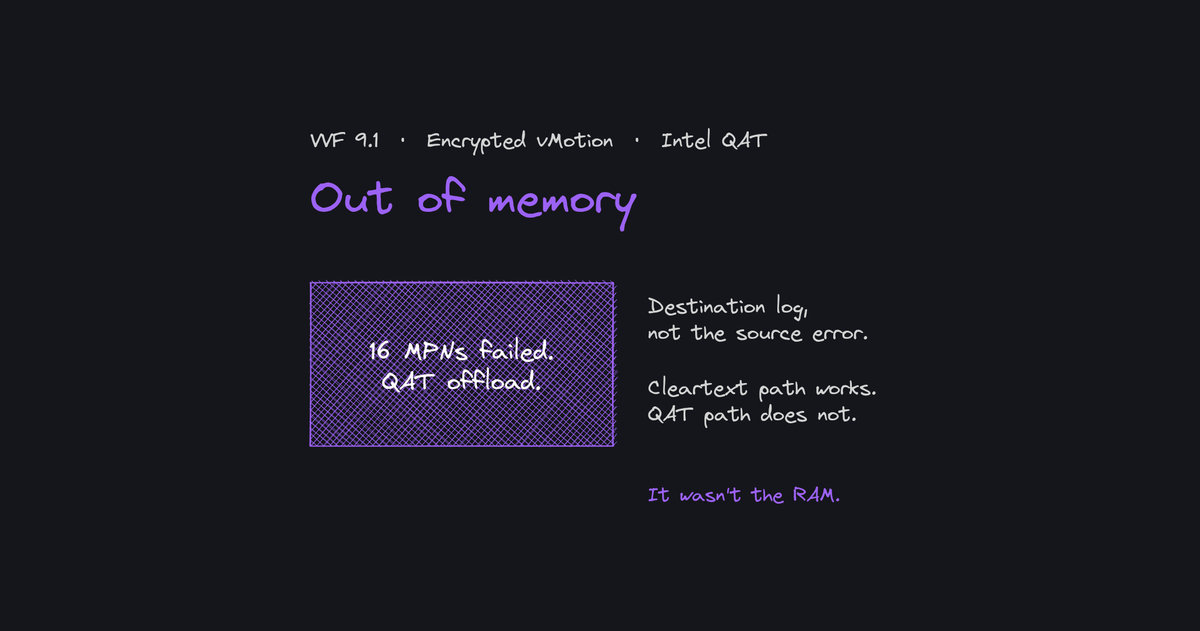
Encrypted vMotions to and from one host of a three-host VVF 9.1 cluster failed with Out of memory and Connection closed by remote host. The host had 63 GB of free DRAM; the allocation that failed was 64 KiB. MTU, memory, uptime and a default-gateway KB were all false leads. The real variable was encryption: since 9.1, encrypted vMotion is offloaded by default to Intel QAT, and that path was broken on one host.
Status as of 17 November 2026: vendor support describes a known defect, with a fix announced for ESX 9.1.3. The workaround recommended by support, a per-host advanced setting that moves vMotion encryption back to the CPU, is applied on all three hosts and encrypted vMotion works again.
Context
| Item | Value |
|---|---|
| Software | VVF 9.1: vCenter 9.1.0.0300, ESX 9.1.0.0200 (build 25557999) |
| Cluster | bo-cluster-01: 3 hosts (bo-esxi-01/02/03), 512 GB DRAM each, 75 VMs, DRS enabled |
| Memory | NVMe Memory Tiering, 1:1 ratio: each host presents 1,024 GB to the scheduler for 512 GB of DRAM |
| vMotion network | Dedicated vmk3, vmotion TCP/IP stack, 25 GbE, MTU 9000, single VLAN and subnet |
| Encrypted vMotion | Opportunistic on every VM (default) |
Since VCF / VVF 9.1, encrypted vMotion crypto is offloaded by default to the Intel QAT accelerators built into recent Xeon CPUs, with no configuration and no indicator in vCenter (VMware blog, 21 May 2026; TechDocs vSphere 9.1). Only host logs show it: Migration using 2 QAT VFs for crypto offload.
Names and addresses are anonymized (bo-*, 192.0.2.0/24); log lines are otherwise as captured, times in UTC.
Timeline
| Date (2026) | Event |
|---|---|
| 5 Nov | Failures from 08:22 UTC, DRS retrying every minute. By noon: MTU ruled out, encrypted path of bo-esxi-01 isolated, encryption disabled on all VMs, vm-support collected, vendor case opened. First support answer: an unrelated default-gateway KB. bo-esxi-01 evacuated and rebooted: same error. |
| 9–11 Nov | Support asks for a failure timestamp, then suggests fragmented memory and a reboot; already done. Case escalated to second level. |
| 12 Nov | Vendor support: known defect, fix announced for ESX 9.1.3, workaround via /Migrate/VMotionEncryptionOffload. |
| 16 Nov | Workaround on all three hosts, encryption back to Opportunistic: encrypted migrations succeed. |
| 17 Nov | Support offers an explanation for the reboot result (see below) and confirms the fix is planned for ESX 9.1.3. |
Symptom
Error waiting for data. Error 195887167. Connection closed by remote host, possibly due to timeout.
vMotion migration [-1408225267:6771157004203848193] failed to read the keepalive stream: Connection closed by remote host, possibly due to timeout
Migration to host <192.0.2.11> failed with error Connection closed by remote host, possibly due to timeout (195887167).
vMotion migration [-1408225267:6771157004203848193] failed to initialize the stream socket: Out of memory
195887167 is 0xbad003f, Connection closed by remote host: a generic message shared by several KBs.
Diagnosis
False lead: MTU (KB 310592)
Broadcom KB 310592 ties this error pair to a jumbo-frame MTU mismatch. Ruled out:
vmkping -I vmk3 -d -s 8972
Jumbo pings succeeded between all hosts. The source-side error only describes the consequence; the destination log is the one to read.
Destination vmkernel.log
bo-esxi-01 as destination, DRS migration from bo-esxi-03, 16 GB VM. The log is dense, so here it is in full, followed by a breakdown of what matters:
10:08:08.207Z MigrateDevOffload: 559: Offload device allocation state was NOT changed from ALLOCATED to ALLOCATING: Already exists.
10:08:08.207Z Migrate: 324: vmotion: Dest leaderID = 7794935, ts = 6771157009984928711, srcIP = <192.0.2.13> dstIP = <192.0.2.11> Dest wid = 0 using SHARED swap, encrypted
10:08:08.207Z Migrate: 627: 6771157009984928711 D: totalVmknicLinkspeed=25000Mbps
10:08:08.207Z Migrate: 653: 6771157009984928711 D: Heap size required for the migration: 67730951
10:08:08.207Z Migrate: 681: 6771157009984928711 D: Used default migrate heap of size 138778190 bytes (computed 67730951 bytes)
10:08:08.207Z VMotionStream: 455: 6771157009984928711 D: vMotion stream helper count: 2.
10:08:08.211Z MigrateDevOffload: 1477: 6771157009984928711 D: Created crypto session 0x41ffdbc05d08 with DAS crypto session 0x431fa0a01500
10:08:08.211Z MigrateDevOffload: 1486: 6771157009984928711 D: Migration using 2 QAT VFs for crypto offload
10:08:08.211Z VMotionEncryption: 504: 6771157009984928711 D: DAS Crypto AEAD session handle created successfully. Crypto workload will be offloaded.
10:08:08.212Z Migrate: 100: 6771157009984928711 D: MigrateState: Starting migration on
10:08:08.229Z MigrateNet: vm 2099131: 3426: Accepted connection from <192.0.2.13>:63254
10:08:08.229Z MigrateNet: vm 2099131: 3514: dataSocket 0x4321bfdf1b20 receive buffer size is 563724
10:08:08.229Z MigrateNet: 1930: 6771157009984928711 D: Successfully bound connection to vmknic vmk3 - '192.0.2.11'
10:08:08.229Z VMotion: 7665: 6771157009984928711 D: Using 2 threads for streaming
10:08:08.238Z Migrate: 100: 6771157009984928711 D: MigrateState: Precopying memory
10:08:08.250Z WARNING Migrate: 10781: 6771157009984928711 D: Failed to allocate 16 MPNs: Out of memory
10:08:08.250Z WARNING VMotionUtil: 6131: 6771157009984928711 D: failed to initialize stream socket: Out of memory
10:08:08.250Z VMotionServer: 408: Error reading from pending connection: Out of memory
10:08:08.350Z MigrateNet: vm 2099131: 3426: Accepted connection from <192.0.2.13>:59167
10:08:08.371Z WARNING Migrate: 10781: 6771157009984928711 D: Failed to allocate 16 MPNs: Out of memory
10:08:08.371Z WARNING VMotionUtil: 6131: 6771157009984928711 D: failed to initialize stream socket: Out of memory
10:08:08.418Z WARNING VMotionRecv: 4570: 6771157009984928711 D: remote host closed connection unexpectedly, migration has stopped.
10:08:08.420Z WARNING Migrate: 255: 6771157009984928711 D: Failed: Connection closed by remote host, possibly due to timeout (0xbad003f) @0x420002623fe0
10:08:08.420Z WARNING Migrate: 7539: 6771157009984928711 D: Migration considered a failure by the VMX.  It is most likely a timeout, but check the VMX log for the true error.
- The receiver fails 20–130 ms after the connections open, before any memory transfer: not a network timeout.
- The migrate heap is fine (67.7 MB required, 138.8 MB allocated).
- What fails is allocating 16 MPNs (4 KiB machine pages, 64 KiB total) for the stream sockets; the source then just sees the connection drop.
- Same pattern on every retry, on 16 and 40 GB VMs, and in both directions (
Migrate: 255: … S: Failed: Out of memory (0xbad0014)as source).
No Broadcom KB documented Failed to allocate … MPNs at the time.
Weakened lead: DRAM under Memory Tiering
With tiering, vCenter and DRS see 1 TB per host, but the kernel needs DRAM:
[root@bo-esxi-01:~] vsish -e get /memory/comprehensive
Comprehensive {
   Physical memory estimate:1073358504 KB
   Given to VMKernel:1073358504 KB
   Reliable memory:0 KB
   Discarded by VMKernel:1592 KB
   Kernel code region:32768 KB
   Kernel data and heap:16384 KB
   Other kernel:2856348 KB
   Non-kernel:478814368 KB
   Reserved memory at low addresses:393216 KB
   Free:591637044 KB
   DRAM free memory:63175132 KB
   Restricted Memory:0 KB
}
[root@bo-esxi-01:~] esxcli memtier status get
   Status: ENABLED
   Size: 511.82GiBs (100 percent of DRAM)
   Encryption: Disabled
   License Info: Licensed for 4.00 times of DRAM
[root@bo-esxi-01:~] esxcli system stats uptime get
6207467802813
bo-esxi-01 (failing) |
bo-esxi-02 (healthy) |
|
|---|---|---|
| Free DRAM | ≈ 63 GB | ≈ 232 GB |
| Free memory incl. NVMe tier | 592 GB | 767 GB |
| VM memory ("Non-kernel") | 479 GB | 303 GB |
| Uptime | 71.8 days | 71.8 days |
Busier, but 63 GB of free DRAM is plenty for 64 KiB, and identical uptime rules out age alone.
Decisive test: encryption on / off
Encrypted vMotion is set per VM (VM Options › Encryption › Encrypted vMotion: Disabled / Opportunistic / Required).
| Test | Result |
|---|---|
vMotion to bo-esxi-01, encryption on |
fail (Failed to allocate 16 MPNs) |
| Same VM and destination, encryption off | success |
Encrypted vMotion from bo-esxi-01 |
fail |
Encrypted vMotion bo-esxi-03 → bo-esxi-02 |
success |
bo-esxi-01 evacuated and rebooted, encrypted vMotion (Opportunistic) |
fail, immediately |
The defect is specific to bo-esxi-01, in both directions, and only on the encrypted (QAT offload) path. The reboot did not change the result.
Day-one stopgap: encryption disabled per VM
migrateEncryption set to disabled on all 75 VMs after saving the original values (75/75 OK, vCenter and VCF runtime nodes included). vMotion traffic then runs in cleartext on the dedicated VLAN; DRS keeps working.
# Backup current values
Get-Cluster bo-cluster-01 | Get-VM |
  Select Name,@{n='MigEnc';e={$_.ExtensionData.Config.MigrateEncryption}} |
  Export-Csv ./migenc-before.csv -NoTypeInformation

# Disable
Get-Cluster bo-cluster-01 | Get-VM | ForEach-Object {
  try {
    $s = New-Object VMware.Vim.VirtualMachineConfigSpec
    $s.MigrateEncryption = 'disabled'
    $_.ExtensionData.ReconfigVM($s)
    "OK    $($_.Name)"
  } catch { "FAIL $($_.Name) : $($_.Exception.Message)" }
}

# Check
Get-Cluster bo-cluster-01 | Get-VM |
  Group-Object {$_.ExtensionData.Config.MigrateEncryption} | Select Name,Count
Workaround recommended by vendor support
Vendor answer, 12 November: known defect, fix announced for ESX 9.1.3. Until then, the solution recommended by support is to disable QAT offload of vMotion encryption on the affected hosts, which moves encryption back to the CPU:
esxcli system settings advanced set -o /Migrate/VMotionEncryptionOffload -i 0
Check the configured and default values:
esxcli system settings advanced list -o /Migrate/VMotionEncryptionOffload
- The setting is per host (vSphere Client: Host › Configure › Advanced System Settings ›
Migrate.vMotionEncryptionOffload;1= QAT offload,0= CPU, no reboot, per a published vSphere 9.1 test methodology). - Applied on all three hosts for uniform behavior until 9.1.3, then encrypted vMotion set back to
Opportunistic: encrypted migrations succeed again. - Traffic stays encrypted. Only the crypto work returns to the CPU cores, costing some CPU during migrations.
Caveats and rollback:
- After upgrading to ESX 9.1.3, once its release notes confirm the fix: reset the option to its default on each host, then re-test with a control encrypted migration to and from
bo-esxi-01. - With a vSphere Configuration Profile: the manual setting shows as drift and may be wiped at the next remediation; carry it into the profile.
Demonstrated and stated by support
- Demonstrated: encrypted migrations only,
bo-esxi-01only, both directions; not network, heap, uptime or load; the failure returns immediately after a reboot of the empty host; gone withVMotionEncryptionOffload= 0. - Stated by support: known defect, fix announced for ESX 9.1.3. As of 17 November 2026, no public Broadcom KB or release notes entry documents it.
- Support's explanation for the reboot result: according to support, the QAT driver claims contiguous blocks of physical memory at startup to initialize its hardware queues, and disabling
VMotionEncryptionOffloadbypasses that QAT buffer requirement by using standard CPU memory pages. A freshly rebooted, empty host should have free contiguous memory, yet the failure returned on the first migration to the same host: this contiguous-memory hypothesis does not match the observations.
Takeaways
Out of memoryin a vMotion failure does not mean the host is out of RAM.- Read the destination
vmkernel.log, not only the vCenter error. - Since 9.1, encrypted vMotion goes through Intel QAT by default, invisibly. Disabling encryption on one VM isolates that path in a minute.
- Two settings, two levels: encrypted vMotion per VM; QAT offload per host. The second keeps encryption without QAT.
- With Memory Tiering, watch
DRAM free memoryinvsish -e get /memory/comprehensive, not the 1 TB vCenter shows. - Bring decisive tests to support (encryption on/off, empty rebooted host, UTC timestamps), and collect
vm-supportbefore any reboot.
Update
This article will be updated when ESX 9.1.3 ships, once the fix is confirmed and a control encrypted vMotion has been re-tested.
Sources
- Broadcom KB 310592 — vMotion fails with the error: Migration to host failed with error Out of memory (MTU path; ruled out)
- Broadcom KB 420320 — vMotion failing with error 195887167 when using multiple vMotion VMkernels across different subnets (first support answer; unrelated)
- Broadcom TechDocs vSphere 9.1 — What Is Encrypted vSphere vMotion
- VMware, 21 May 2026 — Encrypted vMotion offload to Intel QAT in VMware Cloud Foundation 9.1
- VMware, 19 August 2026 — Putting numbers behind encrypted vMotion offload to Intel QAT in VMware Cloud Foundation 9.1
- Prowess Consulting, September 2026 — VM migration methodology (vMotion and VAMT) (
Migrate.vMotionEncryptionOffloadvalues) - Vendor support answers, 12 and 17 November 2026: known defect, fix announced for ESX 9.1.3, workaround
/Migrate/VMotionEncryptionOffload(private communication).