Before vCenter 9.1: Check Your Supervisor
Broadcom issued a critical advisory on 9 October: upgrading to vCenter 9.1.0 or 9.1.1 can remove Supervisor control plane VMs after a vLCM reset. What it says, and the steps to take first.
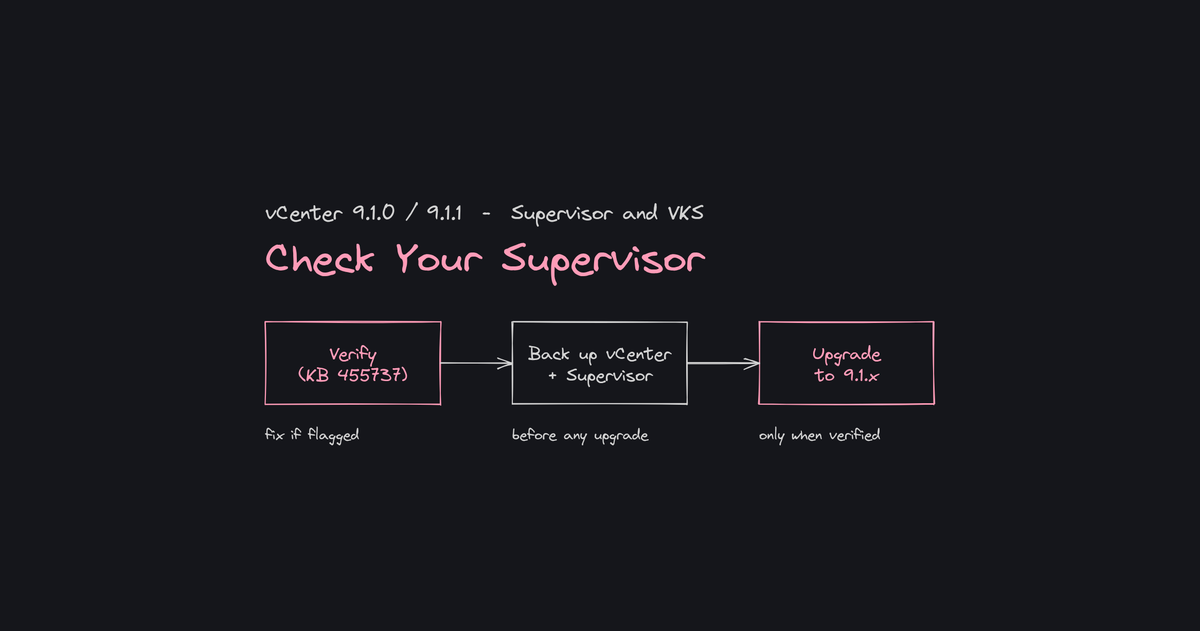
If you run vSphere Supervisor or VKS and plan to move to vCenter 9.1.0 or 9.1.1, read Broadcom's advisory first. Under specific conditions, the upgrade removes your Supervisor control plane VMs. Here is what it says and what to do before you start.
What the advisory says
On 9 October 2026, Broadcom published a critical advisory on the VCF blog, signed by Natalie Fisher. Broadcom notes that critical advisories are not typical blog topics, and says it is using every channel to reach administrators.
The statement is direct: if the vLCM/VUM database was reset earlier, upgrading without verifying and fixing database schema inconsistencies results in Supervisor Control Plane VMs and Foundation Load Balancers (FLBs) being removed and lost.
According to Broadcom, the cause is the standard vLCM database reset script from KB 316581. Run on vCenter 8.0 Update 3 or 9.0.x, it cleared depot corruption but also dropped placement policy columns and relation tables. The new Lifecycle and Cluster Management (LCCM) subsystem in 9.1.x relies on them to discover system VMs. Without them it cannot reconcile the Supervisor state.
Who is concerned
Broadcom's applicability matrix lists:
- Target versions: vCenter Server / VCF 9.1.0 and 9.1.1.
- Source versions: vCenter 8.0 Update 3 and later, 9.0.0, 9.0.1 and 9.0.2.
- Impacted solutions: vSphere Supervisor, VKS and Foundation Load Balancers.
- Trigger: the vLCM/VUM database depot was previously reset.
Broadcom adds that the VCF Diagnostic Tool for vSphere (VDT) also detects the problem and reports a failed VUM schema check.
The official steps, in order
- Verify. Use the checker script attached to KB 455737. Follow the KB for download and execution. It reports whether a schema fix is required.
- Remediate if flagged. The same KB provides Broadcom's fix script, with a re-check afterwards. Follow the KB exactly.
- Back up vCenter and Supervisor. Do this before any upgrade.
- Upgrade. Only then move to vCenter 9.1.x.
If you have already upgraded and the Supervisor VMs are missing, Broadcom points to KB 457944. The recovery is to revert to your pre-upgrade backup or snapshot and restore the Supervisor state before applying the database fix.
What Broadcom does not say
The advisory does not say how many environments are affected or how often this happens. It does not say whether versions beyond those in the matrix are involved. The KB states that the resolution will come in the next release of vCenter 9.1, with no date. Anything beyond that would be speculation.
A patch note for 9.1.1
The VCF 9.1 product support notes carry a 12 October entry: new patches for 9.1.1 components are available. Broadcom's instruction is to use the latest available binaries when you deploy, upgrade and patch.
Before you upgrade
- Find out whether anyone ever ran the vLCM reset (KB 316581) on your vCenter, and check your change records.
- Identify which clusters run Supervisor or VKS.
- Read KB 455737 and KB 457944 in full before the change window.
- Confirm you have a restorable backup of vCenter and Supervisor.
- Use the latest 9.1.1 binaries, as the support notes say.
If the reset ever happened, treat verification as part of the upgrade, not an optional extra.